
A Practical Small Business Guide for 2026 This guide will show you how to automate daily business tasks with AI to save time and boost productivity.
Running a small business is a lot. Between replying to emails, chasing invoices, scheduling meetings, and trying to keep your social media alive, the day disappears before you’ve touched the work that actually moves the needle.
Here’s the honest truth: most of those tasks don’t need you. They’re repetitive, rule-based, and predictable — which makes them perfect candidates for AI automation.
This guide will show you exactly how to automate daily business tasks using AI. No fluff, no vague advice. Just real examples, specific tools, and a clear path you can start walking today — even if you’re not technical at all.
✔ Who this is for: Small business owners, freelancers, consultants, and e-commerce sellers who want to reclaim their time without hiring more staff.
Why Automating Daily Business Tasks Actually Matters
Most business owners underestimate how much time repetitive tasks actually steal. It’s not one big task draining your day — it’s fifty small ones adding up to hours you never get back.
When you automate the routine stuff, here’s what changes:
- You get time back for strategic, high-value work
- Mistakes from manual data entry and copy-pasting drop significantly
- Customers get faster responses, even outside business hours
- You can grow without proportionally increasing your headcount
- Operational costs go down as efficiency goes up
Think of it this way: if AI saves you just two hours a day, that’s ten hours a week, forty hours a month. That’s a full extra week of productive time every single month.
Step 1: Figure Out What’s Actually Worth Automating
Not everything should be handed off to AI. Before you touch a single tool, spend a few days tracking where your time actually goes. You might be surprised.
The tasks best suited for automation share a few common traits:
- They happen the same way, every time
- They follow a clear set of rules or conditions
- They eat up a disproportionate amount of your time
- The stakes are low if the process gets standardized
Tasks That Are Ready to Automate Right Now
- Sorting and drafting email replies
- Scheduling appointments and sending reminders
- Customer support for common questions
- Generating and sending invoices
- Publishing and scheduling social media posts
- Entering data across systems
- Qualifying and following up with leads
- Generating weekly or monthly reports
⚠ Start rule: Pick one workflow. Get it running smoothly. Then expand. Automating everything at once is how businesses create expensive chaos.
How to Automate Email Management Using AI
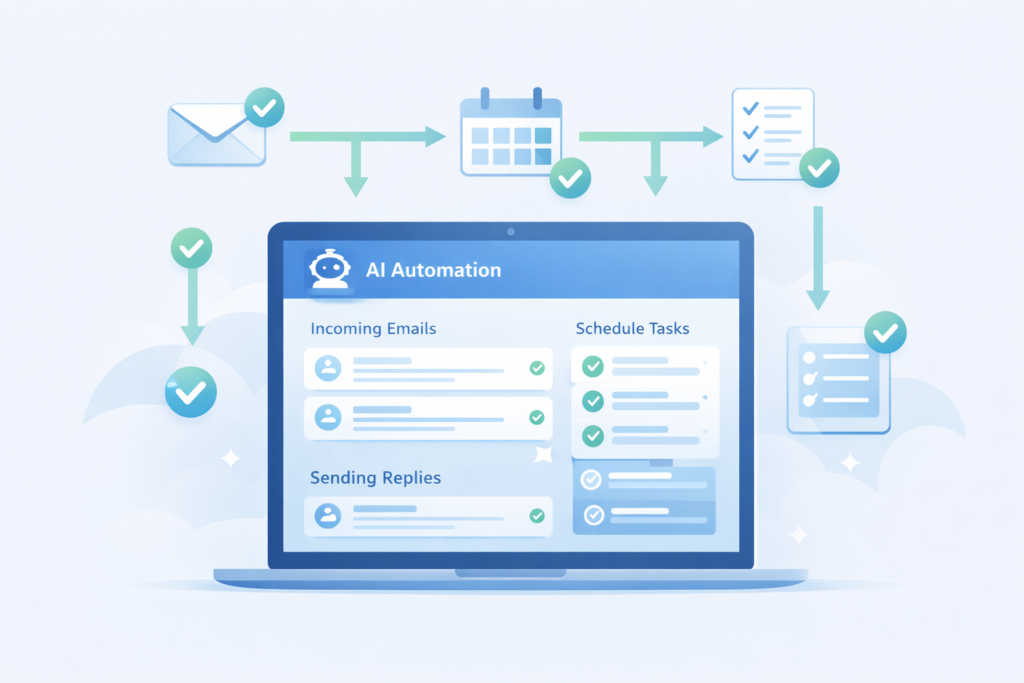
Email is probably the single biggest time thief in most businesses. A typical small business owner spends two to three hours a day in their inbox. That’s over 700 hours a year on email alone.
AI can’t replace every email you send — but it can handle a surprising amount of the volume.
What You Can Put on Autopilot
- Sorting incoming emails into labelled folders automatically
- Drafting replies to common inquiries based on templates
- Sending follow-up sequences if someone doesn’t respond
- Flagging high-priority messages so nothing important slips
- Filtering and archiving promotional or low-priority mail
Real-World Example
A marketing consultant receiving 70+ emails daily used AI to automatically detect lead inquiries, generate a tailored draft reply, and schedule a follow-up if no response came within 48 hours. Their inbox time dropped from two hours to under 45 minutes a day.
Tools That Work Well for This
- Gmail with Google Workspace AI features (Gemini integration)
- Microsoft Copilot inside Outlook
- Zapier or Make.com to trigger email workflows across apps
- ChatGPT with custom prompts for drafting replies in bulk
✔ Practical tip: Always review AI-drafted emails before sending. Use AI to get to 80% — then add your voice for the final 20%.
AI Chatbots for Small Business Customer Support Automation
If you find yourself answering the same five questions every single day, that’s time you’ll never get back. An AI chatbot can handle those questions instantly, around the clock, without you lifting a finger.
What a Chatbot Can Handle
- Frequently asked questions (FAQs)
- Order tracking and shipping status updates
- Appointment booking and rescheduling
- Return and refund policy queries
- Basic product or service information
Real-World Example
An e-commerce store added a chatbot trained on their top 25 most common questions. Within the first month, it resolved 68% of customer inquiries without any human involvement. Support response time went from hours to seconds.
Tools That Work Well for This
- Tidio — easy setup for small e-commerce and service businesses
- Intercom — strong for SaaS and subscription-based businesses
- Freshdesk — good for teams managing higher support volumes
- ChatGPT API — for custom-built solutions with more flexibility
✔ Where to start: List your 20 most frequently asked questions. Build your chatbot around those first, then expand once it’s working.
How to Automate Social Media Posting with AI Tools
Consistent social media presence matters for visibility — but manually creating and posting content every day is exhausting, especially when you’re running everything else too.
AI doesn’t replace your creativity here. It multiplies your output so one idea becomes ten pieces of content across multiple platforms.
What You Can Automate
- Generating post ideas based on your niche or recent blog content
- Drafting platform-specific captions (LinkedIn vs Instagram vs X)
- Scheduling posts in advance across all your channels
- Repurposing long-form content into short social snippets
- Tracking engagement data and surfacing what’s working
Real-World Example
A small business owner who publishes one blog post per week now uses AI to extract ten social media posts from each article, create platform-specific versions, suggest relevant hashtags, and schedule everything automatically. What used to take three hours now takes under 40 minutes.
Tools That Work Well for This
- Buffer — clean scheduling with AI caption suggestions
- Hootsuite with OwlyWriter AI — strong for multi-platform teams
- Metricool — great analytics and scheduling combined
- ChatGPT or Claude — for drafting captions and repurposing content
AI Lead Generation and Qualification for Small Businesses
Chasing cold, unqualified leads is one of the most demoralizing things a business owner can do. AI can score your leads automatically, so your time and energy go only to the people who are actually ready to buy.
What AI Can Do Here
- Analyze which pages a visitor looked at and for how long
- Score each lead based on their behaviour and engagement
- Trigger personalized follow-up email sequences automatically
- Route high-intent leads directly to sales or booking
Real-World Example
A software company used AI to track which users visited their pricing page more than once, downloaded a whitepaper, and opened at least three emails. Only those leads — already warmed up and engaged — were passed to the sales team. Conversion rates increased and sales time stopped being wasted on people who weren’t ready.
Tools That Work Well for This
- HubSpot CRM — powerful lead scoring with free entry-level plan
- ActiveCampaign — strong automated email sequences and lead tagging
- Pipedrive with AI add-ons — good for sales-focused small teams
- Zapier — connects your CRM to other tools to trigger automations
Automating Invoicing and Accounting with AI
Manual invoicing is not just slow — it’s error-prone. A missed invoice or a late payment reminder can quietly hurt your cash flow for weeks. AI takes the human error out of it.
What You Can Put on Autopilot
- Sending recurring invoices on a set schedule
- Triggering payment reminders after set intervals
- Categorizing expenses automatically from bank transactions
- Scanning and logging receipts without manual data entry
- Forecasting cash flow based on your payment history
Real-World Example
A freelance designer used AI accounting software to send invoices automatically on the first of each month, trigger a polite payment reminder after seven days, and categorize all expenses via receipt photos taken on a phone. Monthly bookkeeping dropped from six hours to under one hour.
Tools That Work Well for This
- QuickBooks with AI features — industry standard for small businesses
- FreshBooks — excellent for freelancers and service-based businesses
- Xero — strong automation features with clean reporting
- Wave — free option with solid invoicing for very small businesses
Automating Internal Business Workflows
Customer-facing automation gets all the attention — but the work that happens inside your business can be just as draining. Onboarding new team members, approving documents, assigning tasks, summarizing meetings — all of it can be partially or fully automated.
What This Looks Like in Practice
- New hire triggers a sequence of welcome emails, documents, and calendar invites automatically
- Meeting recordings get summarized into action points without anyone taking notes
- Task assignments route to the right person based on project type or workload
- Document approvals move through a defined workflow without chasing people manually
Tools That Work Well for This
- Notion AI — meeting summaries, document drafting, and knowledge base management
- Monday.com with automations — task routing and project workflow management
- Zapier or Make.com — connects your internal tools to trigger actions automatically
- Otter.ai — real-time meeting transcription and AI-generated summaries
How to Implement AI Automation Without Losing Your Mind
The biggest mistake businesses make is trying to automate everything at once. It creates confusion, breaks existing processes, and usually gets abandoned after a few weeks.
Here’s a simple, realistic approach that actually works:
A Four-Step Implementation Plan
- Audit your week — For five working days, track exactly how you spend your time. Be honest. The patterns will surprise you.
- Rank by time drain — Which tasks take the most time but require the least thinking? Those go first on your automation list.
- Automate one process completely — Don’t move on until the first workflow is running smoothly and you trust it. This usually takes one to two weeks.
- Measure and expand — Track time saved, error reduction, and any impact on customer satisfaction before adding the next automation.
Common Automation Mistakes to Avoid
AI automation is genuinely powerful. But it amplifies whatever you put into it — good processes and bad ones alike. Here are the mistakes that trip up most small businesses:
Over-Automating
Not every interaction should be handled by software. High-value client relationships, sensitive negotiations, and emotionally complex situations still need a real human. Automate the routine. Stay present for the rest.
Setting It and Forgetting It
AI tools need oversight. Set a monthly check-in to review what’s working, what’s producing errors, and what needs adjusting. Automation without monitoring becomes automation that quietly goes wrong.
Skipping Data Security
Not all AI tools handle your data the same way. Before plugging any tool into your business systems, check their privacy policy and ensure they comply with relevant regulations like GDPR or your local equivalent.
Feeding It Poor Information
If your processes are messy or your data is inconsistent, AI will automate the mess at scale. Clean up your workflows before automating them.
The Real ROI of AI Business Automation
Let’s put some numbers to this, because the math is compelling.
If AI saves you two hours a day, that adds up to:
- 10 hours per week
- 40 hours per month
- One full extra workweek every single month
Multiply those hours by your effective hourly rate — or the cost of a part-time employee — and the return becomes very clear very quickly. Most businesses that implement even basic automation see the tools pay for themselves within the first four to six weeks.
✔ Bottom line: Automation isn’t an expense. It’s an investment with a measurable, compounding return.

Where AI Automation Is Heading Next
What’s available today is impressive. What’s coming in the next two to three years is going to fundamentally change how small businesses operate.
AI is moving from automating individual tasks toward supporting real business decisions. We’re already seeing early versions of tools that can:
- Predict when a customer is likely to churn and trigger a retention campaign
- Forecast inventory demand based on seasonal patterns and market signals
- Adjust pricing dynamically based on competitor moves and conversion data
- Surface performance insights without anyone having to pull a report
The businesses that start building automation habits now — even simple ones — will be much better positioned to take advantage of these more advanced capabilities as they become mainstream.
Conclusion: Start Small, Build Smart
You don’t need a development team, a big budget, or a technical background to start automating your business with AI. You just need to pick one task, find the right tool, and give it a proper two-week trial.
The businesses winning right now aren’t the ones with the most sophisticated tech stacks. They’re the ones who identified one repetitive problem, solved it with automation, and kept building from there.
Start with email, or invoicing, or social media scheduling. Just start somewhere. The compounding effect of even small automations adds up faster than you’d expect.
AI isn’t here to replace you — it’s here to handle the work that’s been quietly draining you so you can focus on the work only you can do.
Not necessarily. Many AI tools offer affordable monthly plans. In most cases, the time saved quickly offsets the cost.
Most modern AI tools are user-friendly and require little to no coding knowledge. Many use visual workflow builders.
AI handles repetitive tasks well, but human judgment, creativity, and emotional intelligence are still crucial.
Avoid automating sensitive negotiations, high-level strategic decisions, and emotionally complex customer interactions.
Most businesses see noticeable time savings within the first 2 to 4 weeks of implementing automation.

